Start with the noise, not the product
Before shopping, make a list of what people on your calls are likely to hear: conversations nearby, a television, kitchen sounds, traffic through a window or a fan beside your desk. Also note whether you move around, share the workspace or need to put your equipment away after each call. These details matter more than a long list of audio features.
There are two separate problems to solve. Your headphones help you hear the call despite noise around you; your microphone helps other people hear you clearly. Headphones with strong noise reduction may make a busy room feel quieter to you without removing that noise from the sound you send. If possible, make a short test recording in your usual work spot before deciding what needs improvement.
When a headset makes the most sense
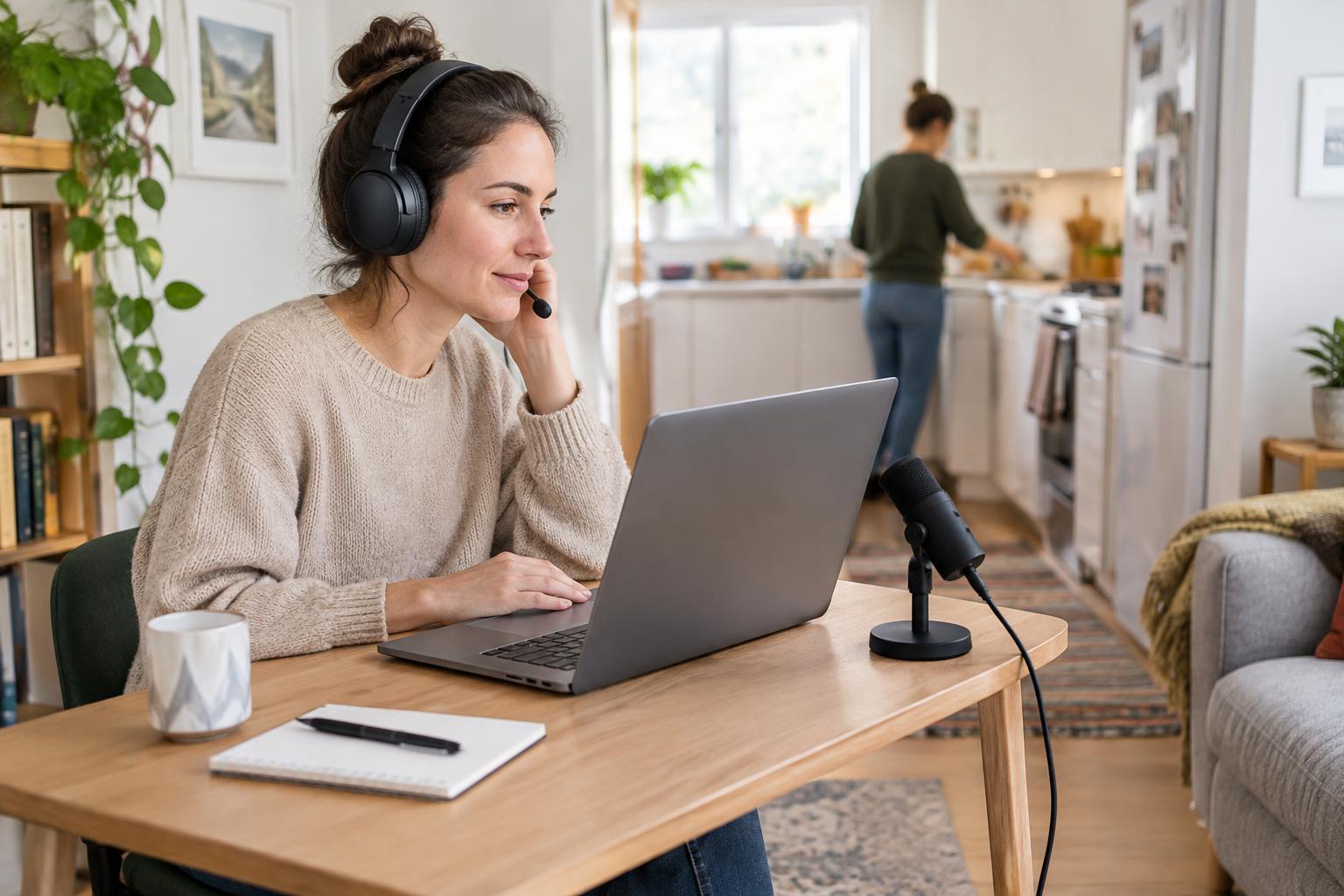
A headset with a microphone on an adjustable boom is often the simplest choice for a shared or multipurpose room. The microphone stays close to your mouth when you turn toward a second screen or shift in your chair. That close position can help your voice stand out from sounds farther away, provided the boom is placed correctly. Set it a little to the side of your mouth so your breath does not hit it directly.
Consider how long you wear it. An on-ear model may feel less bulky but can press on your ears; an over-ear model takes up more space but may be more comfortable for some people. A single-ear headset lets you hear what is happening at home, while two earpieces can make it easier to concentrate. Wired models avoid charging and are easy to keep with a laptop. Wireless models reduce cable clutter, but need a charging spot and may require you to check the connection before a call.
When a separate microphone is worth considering
A desk microphone can be useful if you dislike wearing a headset, record presentations as well as joining calls, or already own headphones you find comfortable. It works best when you can place it close to you. A microphone sitting at the far edge of a desk may pick up more room sound because you need to raise its input level to make your voice audible. In a compact workspace, check that a stand or arm will not block your keyboard, screen or shared tabletop.
If you compare microphone types, pay more attention to your intended setup than to labels alone. Some microphones are designed to pick up sound mainly from the front, but placement and input settings still affect what others hear. A USB microphone is generally straightforward to connect to a computer. Before buying an additional stand, filter or arm, try the microphone in the position you can realistically use every day.
Check the controls that make daily calls easier
A readily accessible mute control is valuable when household noise starts without warning. Look for a clear indication that mute is on, whether it appears on the device or in your calling app. Check how the headset or microphone connects to your computer, and whether it works with the calling software you normally use. If you share a desk, also consider where the cable, receiver or charging lead will go when the workday ends.
Software noise suppression can help with some steady background sounds, but its results may vary with voices, sudden noises and your microphone setup. Try the settings already available in your calling app before paying extra for equipment marketed around noise removal. Keep your microphone input at a level that captures your normal speaking voice without making every sound in the room prominent.
Make a quick test before committing
Record a minute of speech while typical household activity is happening. Listen through headphones for muffled words, breath sounds, keyboard taps and changes in volume when you move. Then change one thing at a time: bring the microphone closer, move it away from the keyboard, turn down its input level or close a door. A call with a trusted colleague or friend can confirm whether your voice is easy to follow on their end.
If you need a low-effort starting point, try a comfortable wired boom headset and test it in your normal seat. If wearing a headset is the obstacle and you have a stable desk position, test a separate microphone close to your mouth with your existing headphones. The best choice is the one you can set up consistently, store easily and use without asking everyone else in the household to stay silent.